
Employee Onboarding
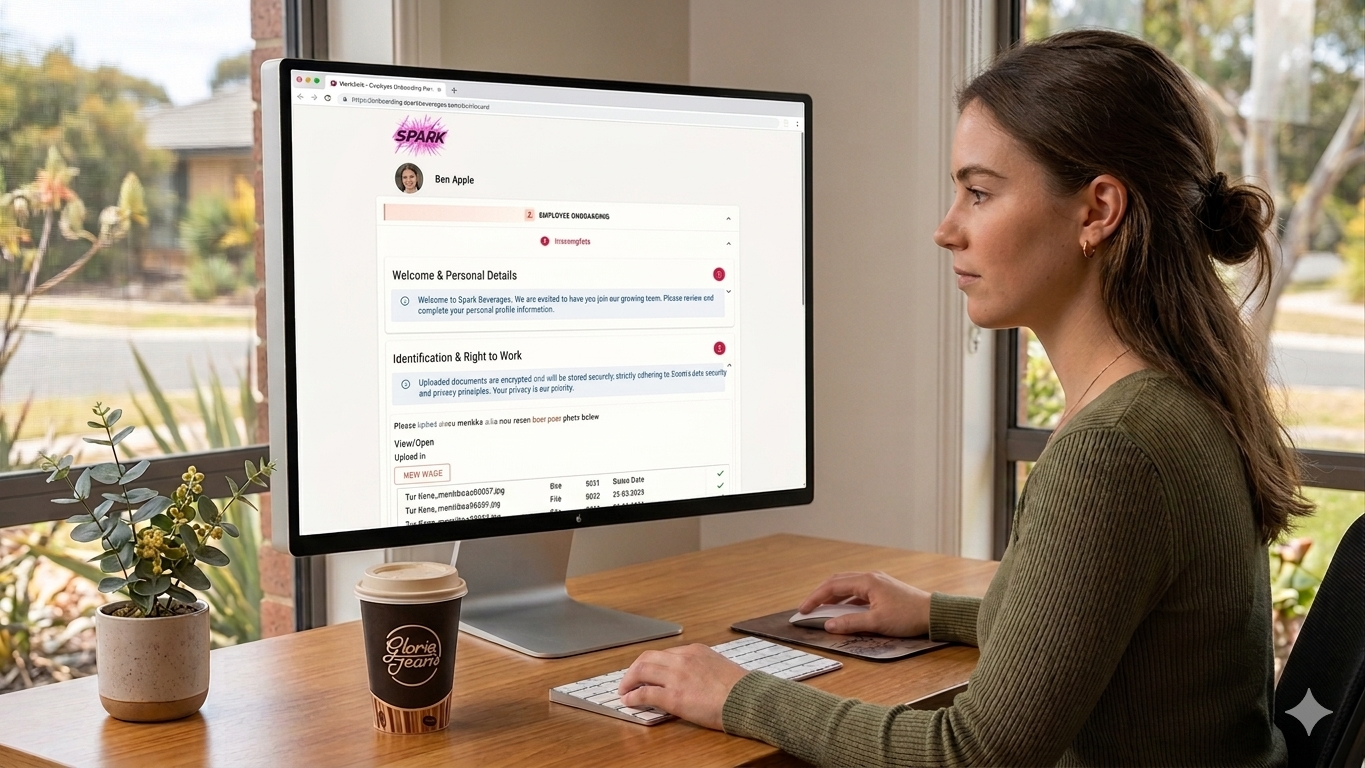
Onboard Employees Faster
New employees receive a secure link by email. No app download, no account creation, no password. They open it on their phone, tablet, or computer and start straight away.
Build your onboarding workflow once. Capture tax file number declarations, superannuation choice forms, emergency contacts, policy acknowledgements, signed contracts, and uploaded credentials in a single guided process.
Track compliance and credential expiry automatically. Know exactly who's complete, who's outstanding, and what needs renewing.
Connect to your existing tools with Xero-compatible CSV exports, so employee data flows straight into payroll without double-handling.
No App, No Login
Most employee onboarding platforms ask new employees to download an app, create an account, or remember yet another password before they can even begin. That's friction your new hires don't need.
WorkZerk takes a fundamentally different approach. New employees receive a secure, tokenized link (via email, SMS, or QR code) that takes them straight into their personalised onboarding portal.
No app to download. No account to create. No password to remember. They simply open the link in any browser and start completing their onboarding immediately.
Getting it Wrong
Between Fair Work compliance, superannuation choice forms, tax file number declarations, workplace health and safety acknowledgements, and company-specific policies, there's a mountain of documentation that needs to be collected, verified, and stored correctly. Getting it wrong doesn't just create a poor employee experience, it creates a compliance liability.
WorkZerk is employee onboarding software built to make this entire process frictionless, paperless, and trackable from start to finish. It also adheres to the Australian Privacy Principles and encrypts and stores all data securely on Australian servers.
Ongoing Compliance
As employees work through their onboarding steps, your admin team can see progress updating in real time. There's no need to chase people for missing or wonder who's completed what. The dashboard shows you at a glance which employees are fully onboarded.
When an employee completes all steps, both the employee and your nominated admin receive a confirmation email and onboarding receipts. A notifications automatically pops up in the Admin area.
If documents require manual verification, your team is notified so they can review and approve without delay.
This visibility extends across multiple portals too. If your organisation runs separate onboarding workflows for different employment types, WorkZerk lets you manage them all from a single workspace.
Reusable Templates
Every organisation onboards employees differently. A construction company has different compliance requirements to a childcare centre, and a corporate office has different policies to a retail chain.
With WorkZerk, you design your own onboarding portal using a step-based template builder. Each step can be configured to collect exactly what you need whether that's a signed employment contract, an uploaded tax file number declaration, banking or financial details, a photo for an ID badge, or an acknowledgement that the employee has read and understood your workplace policies.
Steps can require document uploads, policy acknowledgements, digital signatures, or information fields that automatically populate back to your contact records.
Xero Export
Employee onboarding doesn't exist in isolation. New hires need to flow into your payroll, your HR records, and your accounting software. WorkZerk supports Xero-compatible contact CSV exports so employee data collected during onboarding can be imported directly into your existing systems, reducing double-handling and manual data entry.
Onboarding data including all custom fields can be exported as a CSV file for instant import into third party systems, or straight into Excel.
Information captured during onboarding such as names, contact details, tax information, bank account details etc. are automatically linked to each employee's contact record within WorkZerk, creating a single source of truth that your team can reference long after the onboarding process is complete (and they can update in the future themselves).
-
Full Legal Name
Preferred/Known-As Name
Date of Birth
Residential Address
Personal Email Address
Personal Mobile Number
Emergency Contact Details
Headshot/Photo for ID Badge
Nationality/Citizenship.
-
Tax File Number Declaration
Superannuation Choice Form
Self-Managed Super Fund Details
-
Employment Contract/Letter of Offer.
Modern Award or Enterprise Agreement Summary.
Position Description
Probation Period Acknowledgement
Working Hours & Roster Preferences
-
Fair Work Information Statement
Casual Employment Information Statement
National Employment Standards Summary
-
Proof of Right to Work in Australia
Visa Subclass & Expiry Date
VEVO Check Confirmation
-
WHS Induction Presentation
WHS Policy & Procedures
Hazard Reporting Procedure Acknowledgement
Site-Specific Safety Induction
PPE Requirements
Pre-Existing Injury or Medical Condition Disclosure
Ergonomic Assessment Request
First Aid Officer Certification
White Card (Construction Induction Card)
-
Code of Conduct
Anti-Discrimination & Harassment Policy
Drug & Alcohol Policy
Social Media Policy
Bullying Prevention Policy
Whistleblower Policy
Grievance & Complaints
Environmental & Sustainability Policy
Company Vehicle & Driving Policy
Flexible Working Arrangements Policy
Leave Policy Summary
BYOD Policy and Agreement
-
Privacy Policy & Australian Privacy Principles Notice
Confidentiality & Non-Disclosure Agreement
Intellectual Property Assignment Agreement
-
IT Acceptable Use Policy
Cybersecurity Awareness Training
Preferred IT Equipment
Remote Access & VPN Policy
-
Driver's Licence
Professional Licence/Registration
Working With Children Check / Blue Card / WWC
National Police Check
Forklift Licence / EWP Ticket / Other High-Risk Work Licence
Trade Qualifications or Certificates
Professional Indemnity Insurance Certificate
Current Resume/CV
-
Bank Account Details for Salary Payments
Payment Method Preference
Salary Sacrifice Arrangements
-
Welcome Message & Company Overview
Organisational Chart
Office/Site Map
Parking & Transport Information
Uniform Order
Dietary Requirements & Allergies
Key/Access Card Acknowledgement
Start Date Confirmation
Nominated Manager/Buddy Introduction
Employee Handbook Acknowledgement
Induction Checklist