
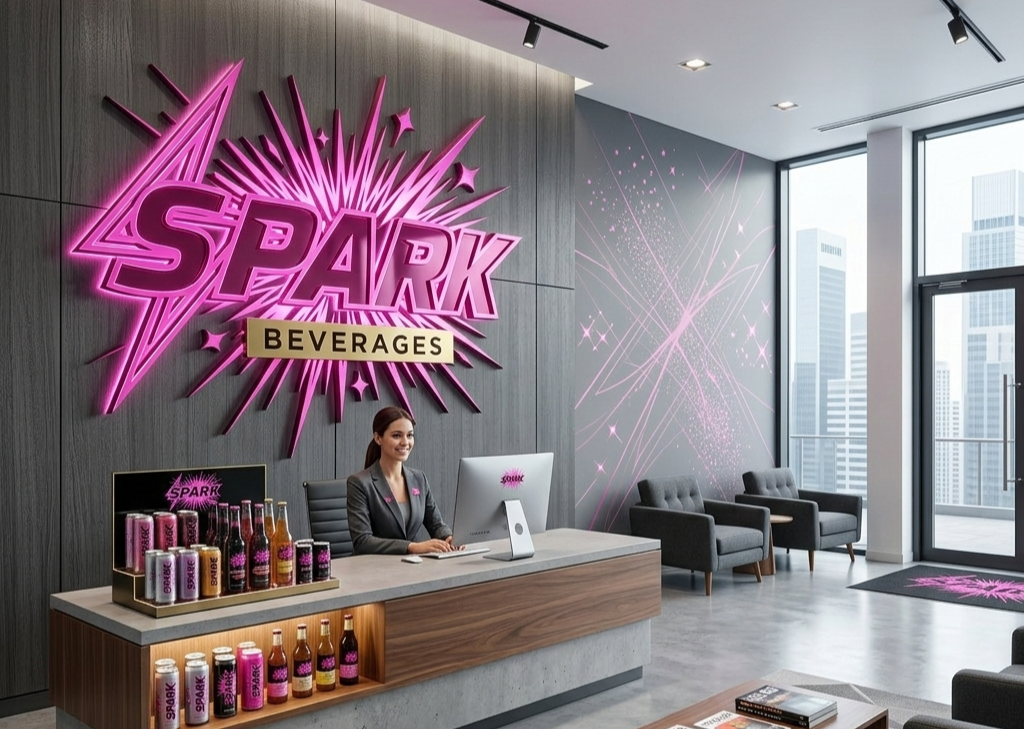
Employee Onboarding Demo using WorkZerk
Good day, and welcome to this WorkZerk demo. Thanks for your time today.
Before I show you around, I want to quickly clarify what WorkZerk isn’t. It’s not an online form builder. Tools like Jotform and Google Forms are great for collecting information once but what happens after that?
What happens when someone’s Working With Children Check expires in six months? Or when you need to onboard them onto a second or third project? You’re essentially back to square one, chasing emails and recollecting documents all over again.
WorkZerk is an onboarding and compliance platform. Every person you onboard is stored as a living, trackable contact record.
Contact Records
If we open a contact record, you’ll see their selfie, which they’ve uploaded, along with all the standard fields you’d expect — address, date of birth, banking details, and so on. Everything you need to onboard an employee is built in.
The workflow builder is where you customise things further. You can create unlimited fields for any additional information you need to collect during onboarding.
When adding a step, you can choose the field type e.g. text, multi‑choice, date, checkbox, and more. You can also provide rich instructions using formatted text, embedded images, or required‑view images. You can even link to YouTube videos or external apps.
Everything in WorkZerk is tracked for compliance. That’s a key difference from online form builders. WorkZerk tracks whether someone has viewed a step, ensures they upload required documents, and verifies that they’ve signed anything that needs signing before they can be considered onboarded.
Human‑in‑the‑Loop Approvals
WorkZerk also includes a built‑in human‑in‑the‑loop approval system. Admin users can manually approve or reject submitted items. I’ll show you how that works shortly.
For now, let’s go back to the main screen and look at how quick it is to invite a new employee to onboard with Spark Beverages.
Inviting a New Employee
In the Employees section, I’ve entered Jane’s name and email address. I’ll add her as a new employee, and she appears instantly in the list.
Now I’ll invite Jane. In the background, WorkZerk has created a unique tokenised link for her. This link is emailed to her and gives her direct access to her onboarding portal — no account, no password, no app.
You can create multiple portals for different onboarding workflows. In this case, we’re onboarding an employee, so the workflow includes personal details, right‑to‑work identification, licences and qualifications, safety and emergency procedures, and payroll and superannuation details.
All of these fields are linked to the existing fields in the WorkZerk contact database. For example, the BSB number she enters updates the BSB field in her contact record automatically. If her details change in the future, she can simply return to her portal and update them.
This linked‑fields system is extremely powerful and fairly unique to WorkZerk.
What the Onboardee Sees
Here’s the email Jane receives: her personalised portal link and instructions to begin onboarding.
When she clicks the link, her portal loads instantly. WorkZerk is hosted securely in Microsoft Azure’s Sydney region, with all data encrypted at rest and in transit.
Jane sees the Spark Beverages branding, then enters her details — name, date of birth, right‑to‑work information, licences, and so on. She reviews the Code of Conduct and signs it digitally.
As she completes each step, her progress updates in real time under her contact record.
Admin Compliance View
Let’s look at another employee’s completed onboarding. This is the compliance view, showing exactly what was submitted and when.
In this example, the food safety certificate was rejected because it was fake. The admin user identified this and sent a message back through WorkZerk, which emailed the employee requesting a valid certificate.
To comply with Australian Privacy Principles, the rejected document was automatically deleted — WorkZerk never stores information it doesn’t need to hold.
When the employee logs back into their portal, they see a clear “file upload rejected” message with the reason, and they can upload a replacement.
Expiry Tracking & Ongoing Compliance
WorkZerk closes the loop from invitation → onboarding → approval → ongoing compliance.
Any licence, certificate, or qualification with an expiry date is tracked. You can configure automated reminders — for example, prompting someone every seven days until they upload a renewed certificate.
WorkZerk handles all of this automatically.
Omni‑Onboarding
WorkZerk is an omni‑onboarding platform. That simply means it can onboard anyone — not just employees.
Clients, visitors, stallholders, exhibitors, patients, students — anyone. And all their information is stored against their contact record for future compliance.
Thanks for watching. Visit workzerk.com.au and take advantage of the 30‑day free trial. Cheers.

Stop Emailing Sensitive Documents: Why Browser-Based Onboarding Is Way Safer
How WorkZerk eliminates the hidden security risks of traditional document collection
Every day, thousands of Australian businesses collect sensitive documents the same way they always have. A site manager asks a new contractor to ‘just email through’ their forklift licence. An HR coordinator receives a scanned passport in their inbox. A compliance officer forwards a Working with Children Check to a colleague for verification.
It feels routine. But every one of those emails creates a security risk that most businesses never think about!
The problem with email attachments
When someone emails a PDF or image to your team, that file doesn't just arrive once. It gets downloaded to a laptop. It gets forwarded to a colleague. It gets saved to a shared drive. It gets opened again on someone else's machine. Before long, a single document has been copied, stored, and opened across multiple devices with no tracking, no access controls, and no audit trail.
Each of those touchpoints is a potential vulnerability. Malicious actors know that PDFs can carry embedded code, exploit payloads, and hidden scripts designed to target PDF reader software. A file that looks like a perfectly normal driver's licence could be weaponised to execute code the moment it's opened in a desktop application like Adobe Reader.
And that's just the security side. From a privacy perspective, sensitive identity documents are now scattered across inboxes, downloads folders, and shared drives with no visibility over who has access or where copies exist.
For businesses operating under the Australian Privacy Principles, that's a significant exposure.
What changes when documents stay in the browser
WorkZerk takes a fundamentally different approach. When someone uploads a document during onboarding, whether it's a licence, certificate, or proof of identity, that file is stored once in encrypted Azure cloud storage hosted in Sydney. Every time an administrator needs to review that document, they view it directly in the browser. The file is not downloaded to their local machine, never opened in a desktop PDF reader, and never forwarded as an email attachment.
This might sound like a small distinction, but it changes the security picture entirely.
When a PDF is opened inside a web browser, the browser acts as a sandbox. It renders the visual content of the document without executing embedded scripts or code in the way a native desktop application might. The attack surface that makes email attachments risky simply doesn't exist in this model.
Compare that to the traditional workflow where a contractor emails their credentials to three different people, each of whom opens the file locally, and the difference becomes clear!
One copy, one location, full visibility
Beyond the malware angle, there's a broader principle at play: reducing the number of places sensitive documents exist.
With email-based document collection, you have no real way of knowing how many copies of someone's passport photo or licence are sitting in various inboxes and folders across your organisation. You can't revoke access to an email attachment after it's been sent. You can't see who opened it, when, or on what device.
With WorkZerk, every document lives in a single, secured location. Access is controlled through user permissions and tracked through a comprehensive audit trail. Administrators can see exactly who viewed, approved, or rejected a document and when they did it. If an employee or contractor leaves the organisation, their documents don't linger in forgotten email threads. Access is managed centrally and can be removed at any time.
For businesses that handle identity documents, health records, or compliance credentials, this isn't just a convenience. It's a meaningful improvement in how personal information is protected.
No app downloads, no accounts, no friction
Security measures only work if people actually use the system. One of the most common reasons businesses fall back to email-based document collection is that their proper system is too complicated. If a contractor needs to download an app, create an account, and remember a password just to upload their White Card, they'll ask if they can just email it instead.
WorkZerk removes that friction entirely. Onboardees receive a secure, tokenised link. They tap it on their phone, complete the process in their browser, upload their documents, and they're done. No app download, no account creation, no password to remember. The process is designed to be so simple that there's no reason for anyone to fall back to email.
And because it's frictionless for the person being onboarded, it's also more secure for the business. When the easy path and the secure path are the same path, compliance happens naturally.
What this means in practice
Consider a typical scenario in construction. A principal contractor needs to verify that 30 subcontractors have current forklift licences, White Cards, and public liability insurance before they can start on site.
The traditional approach: The site manager sends 30 emails asking for documents. Replies trickle in over days. PDFs are downloaded, opened, checked manually, and saved to a shared folder. Some contractors reply to the wrong person. Some documents expire and nobody notices. Copies of licences and insurance certificates sit in multiple inboxes indefinitely. In a word — Chaos!
The WorkZerk approach: Each contractor receives a secure link in their secure email inbox. They upload their documents directly into the platform. The site manager reviews and approves everything from a single dashboard. Expiry dates are tracked automatically with renewal reminders. Every document is stored once, viewed in-browser, and protected by enterprise-grade security. No emails, no downloads, no scattered copies.
Same outcome. Dramatically different risk profile!
A simple question worth asking
Next time your team asks a contractor, employee, or volunteer to ‘just email through’ a copy of their licence or ID, it's worth pausing to consider where that document will end up. How many copies will exist by the end of the week? Who will have access to it in six months? And if something goes wrong, would you even know?
WorkZerk exists to make those questions irrelevant. Documents are uploaded once, stored securely, viewed in-browser, and managed centrally. No email chains, no local downloads, no untracked copies floating around your organisation.
It's a safer way to handle sensitive documents. And it's a lot simpler, too.
WorkZerk is an Australian-built onboarding and compliance platform. All data is hosted in Sydney on Microsoft Azure. Learn more at workzerk.com.au.

Jotform vs WorkZerk for Onboarding People
Jotform is one of the most popular and user‑friendly form builders in the world, and for general data collection it’s an excellent choice!
Many Australian businesses use Jotform for simple data collection, so it’s natural to compare it with WorkZerk. Both tools serve different purposes, and understanding those differences helps you choose the right tool for your workflow.
If you've ever tried using Jotform or other cloud based form builders, you already know the drill. You build a form, send a link, collect a submission, and then... that's kind of it. The data sits in a spreadsheet-like table tied to that specific form. There's no ongoing relationship with that person, no way to track whether their White Card expires next month, and no easy path to getting that data into your accounting software without bolting on third-party tools.
WorkZerk takes a fundamentally different approach. Rather than treating onboarding as a one-off form submission, it treats it as a living, ongoing process built around people — not forms. And for Australian businesses that need to stay on top of compliance, that distinction matters more than you might think.
Let's walk through two real-world scenarios to show exactly where this difference plays out.
Note: All comparisons in this article are based on publicly available information as of February 2026 and reflect the intended use cases of each platform.
Scenario 1: Onboarding a Contractor to an Australian Worksite
Picture this. You're running a construction company and you need to onboard a new subcontractor before they set foot on site. They need to provide their White Card, public liability insurance, and sign off on your site-specific SWMS documentation. Pretty standard stuff for Australian worksites.
With Jotform, you'd build a form with file upload fields for each document, maybe add an e-signature widget for the SWMS acknowledgment, and send them the link. They fill it in, hit submit, and the data lands in Jotform Tables. Job done — for now.
The problem is that Jotform captures a point-in-time snapshot. On the day the contractor submitted that form, their White Card was valid. But what happens in six months when it expires? Jotform doesn't know. It doesn't track expiry dates against credentials. It doesn't flag when documents are about to lapse. And it certainly doesn't give you a way to reject a submission and send the contractor back to fix it without starting the whole process again.
With WorkZerk, onboarding is a continuous process, not a moment in time. You create an onboarding portal — a template of all the steps a contractor needs to complete — and invite them via a QR code or tokenised link. No app download, no account creation, no password. They open the link on their phone and start completing steps right there.
Here's where it gets interesting. As the admin, you can review each uploaded credential and either approve or reject it. If a contractor uploads a blurry photo of their White Card, you hit reject, type a reason, and WorkZerk automatically emails them explaining what needs to be corrected. They go back to their portal link, fix the issue, and resubmit. This back-and-forth loop — what WorkZerk calls continuous onboarding — means compliance isn't a checkbox you tick once and forget about. It's a living workflow that keeps running as long as that contractor is associated with your business.
WorkZerk also tracks credential expiry dates. When a document is approaching its expiry, admins can see this at a glance. This is critical for industries where a lapsed credential can shut down an entire site. Jotform simply doesn't operate in this space: it collects data, but it doesn't manage the ongoing lifecycle of that data.
And because WorkZerk maintains a centralised contact and onboardee database (more on this shortly), that contractor isn't just a row in a form submission table. They're a person in your system with a full profile, compliance history, and a persistent relationship with your business across multiple workspaces, portals and projects.
Scenario 2: Onboarding a Gym Member with a Waiver Form
Now let's shift gears entirely. You're running a fitness studio or gym, and every new member needs to sign a liability waiver, provide emergency contact details, and acknowledge your gym rules before they start training.
With Jotform, you'd build a waiver form, embed it on your website or display it on a tablet at reception, and collect submissions. Jotform handles this capably — it's what form builders are designed for. But here's the thing: once that waiver is submitted, the member's information lives inside that form's submission data. It's tied to the form, not to the person.
If you later want to collect updated health information, or run a new waiver for a different program, you're creating another form. Now that member's data is split across multiple form submissions with no unified view of who they are. Jotform Tables provides a spreadsheet-style interface, but it's not a contact database. There's no single record for "Sarah Chen, Member #247" that aggregates all her interactions, documents, and compliance history in one place.
WorkZerk works differently because it's built around people, not forms. When Sarah signs up at your gym, she completes her onboarding portal (waiver, emergency contacts, terms acknowledgment) and a contact record is automatically created. But here's another advantage: WorkZerk lets you rename the "Onboardees" tab to whatever makes sense for your business. For a gym, you'd call them "Members." For a school, "Students." For a medical practice, "Patients." This isn't just cosmetic — that terminology cascades throughout the entire application, so your staff see "Members" everywhere, not confusing generic labels.
This means your fitness facility can use WorkZerk as an ad hoc membership database. Every member has a centralised record containing their contact details, compliance status, uploaded documents, and onboarding history. You can filter, search, tag, and export your member list. You can see at a glance who has completed their waiver and who hasn't. You can email members directly from the platform. And if you update your waiver terms next year, you can push that change through and use the continuous onboarding workflow to get everyone to re-acknowledge with full tracking.
Using the Linked Fields feature in WorkZerk your members can update all of their contact details anytime they like. Changing bank account details for example? No problem — just link the built-in BSB and AccountNumber fields.
Your member can then revisit the portal anytime they need to update their contact details without any phone calls or email chains.
Try doing that with Jotform. You'd be cross-referencing spreadsheet exports, manually matching submissions across forms, and probably maintaining a separate membership database in another tool entirely.
The Xero Advantage: Native CSV Compatibility
For Australian businesses already using Xero for their accounting, WorkZerk offers a practical advantage that's easy to overlook until you need it: Xero-compatible CSV exports. You can export your contacts directly from WorkZerk in a CSV format that's ready to import straight into Xero. No reformatting, no column mapping headaches, no middleware.
Jotform, by contrast, has no direct Xero integration at all. Their own support forums confirm this, suggesting users rely on Zapier as a bridge — which means yet another subscription, another point of failure, and another tool to maintain. And even with Zapier, you're moving form submission data, not clean contact records structured for an accounting platform.
WorkZerk also supports CSV imports in the other direction, so if you're migrating from another system or want to bulk-load contacts from an existing Xero export, you can do that too. The import process includes field mapping, validation, and rollback if something goes wrong. It's built for real-world data migration, not as an afterthought.
Data Sovereignty: Your Data Stays in Australia
This one matters more than many businesses realise. WorkZerk is hosted on Microsoft Azure Sydney, meaning all your data including uploaded files physically resides in Australia. For businesses subject to the Australian Privacy Principles, or those working with government contracts that mandate local data storage, this is non-negotiable.
JotForm's servers are primarily based in the United States and Europe. While their Enterprise plan offers some data residency options, standard plans don't give you control over where your data lives.
Passwordless Onboarding: Zero Friction for the People You're Onboarding
One of the most underrated differences is how the onboarding experience feels for the person being onboarded. With Jotform, the experience is straightforward — click a link, fill in a form, submit. But if you need that person to come back and update something, they're essentially starting fresh or navigating back through email chains.
WorkZerk uses tokenised links and QR codes that give each person a persistent, passwordless portal. No app to download. No account to create. No password to remember. They scan a QR code or tap a link, and they're straight into their onboarding steps. If they need to come back tomorrow to finish, or in three months to update an expired credential, the same link works. Their progress is saved, their documents are there, and any rejected steps are clearly flagged with the reason why.
For a contractor who's juggling five different worksites and doesn't want another login to manage, this is a genuine relief. For a gym member signing up at reception on their phone, it's seamless. The result is higher completion rates and fewer people dropping off because the process was too complicated.
Beyond Forms: What a People-Centric Platform Enables
The fundamental architectural difference comes down to this: Jotform is a form builder with data storage. WorkZerk is a continuous, omni-onboarding (onboard anyone) compliance platform with a contact database at its core.
This distinction enables features that simply don't exist in a form-centric model. With WorkZerk you get a centralised view of every person you've onboarded, across every portal and project. You get the ability to approve, reject, and re-request compliance documents with automated email notifications. Credential expiry tracking is built in, with visual indicators so admins can spot issues before they become problems. Customisable terminology means the platform speaks your industry's language.
Real-time compliance status updates show whether someone is fully onboarded, partially complete, or has items flagged for attention. Direct CSV import and export with Xero compatibility keeps your data flowing without middleware. And mandatory MFA for administrators, combined with Australian-hosted data, means security and sovereignty aren't afterthoughts.
Jotform is a very capable tool for what it does: collecting form submissions. But if your Australian business needs to onboard people, manage ongoing compliance, and maintain a centralised record of the people you work with, it's the wrong shape for the job.
WorkZerk vs Jotform: Feature Comparison at a Glance
| Feature | WorkZerk | Jotform |
|---|---|---|
| Onboarding & Compliance | ||
| Purpose-built onboarding platform | ✔ | ✘ |
| Approve / reject submitted documents | ✔ | ✘ |
| Continuous onboarding (re-request & resubmit loop) | ✔ | ✘ |
| Credential expiry date tracking | ✔ | ✘ |
| Automated rejection emails to onboardees | ✔ | ✘ |
| Real-time onboarding status per person | ✔ | ✘ |
| Grandfathering compliance when templates change | ✔ | ✘ |
| People & Data Management | ||
| Centralised contact / member database | ✔ | ✘ |
| Unified person record across multiple portals | ✔ | ✘ |
| Customisable terminology (e.g. "Members", "Students") | ✔ | ✘ |
| Tagging and filtering of contacts | ✔ | Limited |
| Email onboardees / members from the platform | ✔ | ✘ |
| Archive and restore onboardee records | ✔ | ✘ |
| Onboardee Experience | ||
| Passwordless onboarding (no account or app required) | ✔ | ✘ |
| QR code portal access | ✔ | ✘ |
| Persistent tokenised link (return anytime) | ✔ | ✘ |
| Mobile-first experience | ✔ | ✔ |
| Integration & Export | ||
| Xero-compatible CSV export (direct import ready) | ✔ | ✘ |
| CSV contact import with field mapping & validation | ✔ | ✔ |
| Xero integration without third-party middleware | ✔ (CSV) | ✘ (requires Zapier) |
| Bulk export of onboardee / contact data | ✔ | ✔ |
| Security & Data Sovereignty | ||
| Data hosted in Australia (Azure Sydney) | ✔ | ✘ (US/EU default) |
| Mandatory MFA for administrators | ✔ | Optional |
| Comprehensive audit trail | ✔ | Limited |
| Platform Approach | ||
| Drag-and-drop form builder | ✘ | ✔ |
| 20,000+ general-purpose form templates | ✘ | ✔ |
| Template-based onboarding workflow builder | ✔ | ✘ |
| Designed for ongoing compliance management | ✔ | ✘ |

Omni‑Onboarding: We Invented a New Software Category
WorkZerk invented a new category of software. Here's why it was overdue.
For decades, the word "onboarding" has meant one thing: getting a new employee set up. Sorting their tax file number. Handing them a lanyard. Making them watch a 45-minute video about workplace harassment that was clearly filmed in 2007. Maybe a welcome morning tea if the office manager remembered.
HR onboarding software grew up around this exact use case. Platforms like Employment Hero, ELMO, and Flare all do a solid job of getting permanent staff through the door and into the payroll system. No complaints there.
But here's the thing nobody seems to be talking about: employees are only a fraction of the people that businesses and organisations need to "onboard" every single day.
Think about it. A construction company doesn't just hire employees. They bring in dozens of subcontractors who each need site inductions, insurance certificates, White Cards, and Safe Work Method Statements verified before they set foot on a scaffold. A university doesn't just employ lecturers. They enrol thousands of students who need to submit Working with Children Checks, vaccination records, placement agreements, and professional registration documents. A physiotherapy clinic doesn't just have staff. They have patients walking through the door who need to complete intake forms, upload referrals, sign consent declarations, and provide Medicare details.
None of these people are employees. But every single one of them needs to be onboarded.
Until now, there hasn't been a word for software that handles all of this. So we made one up.
Welcome to Omni-Onboarding
Omni-onboarding is the practice of onboarding anyone, not just employees, through a single, flexible platform. Contractors, clients, patients, students, visitors, volunteers, members. Anyone your organisation needs to collect information from, verify credentials for, or confirm compliance with before they can participate, access, or begin.
WorkZerk is the first platform built from the ground up to do exactly this. Not as an afterthought bolted onto an HR system. Not as a "custom form builder" pretending to be something more. But as a purpose-built onboarding and compliance verification platform designed to handle any type of person, in any industry, with any set of requirements.
The reason it works is surprisingly simple: WorkZerk doesn't care who you're onboarding. It cares about what you need from them.
Need someone to upload a document? Done. Sign a declaration? Done. Watch an induction video and confirm they understood it? Done. Provide an expiry date on a certification so you can track when it lapses? Done. All through a passwordless portal that doesn't require the person to download an app, create an account, or remember a password. Just a link or a QR code, and they're away.
That flexibility is the whole point. And it's why we believe omni-onboarding isn't just a nice idea. It's a category that should have existed years ago.
Why "Onboarding" Got Stuck in HR
It's worth understanding how we ended up here.
The software industry loves categories. CRM. ERP. LMS. HRM. These labels help buyers find what they need and help vendors position themselves in the market. "Onboarding software" landed squarely inside the HR category early on, and it stuck. If you Google "onboarding software Australia" right now, you'll get page after page of HR platforms talking about employee journeys, culture fit, and first-day experiences.
That's fine for employees. But it created a blind spot. Every other type of person that organisations need to bring into their world got left out of the conversation entirely.
What happened instead? Organisations improvised. They cobbled together workarounds using email chains, shared drives, spreadsheets, PDF forms, and enough manila folders to deforest a small country. Some built clunky internal systems. Others bought vertical-specific tools that only worked for one type of person in one type of industry.
The result is that most Australian businesses today are managing onboarding across multiple disconnected systems, or worse, not managing it at all. They're chasing documents manually, storing compliance records in places nobody can find them, and crossing their fingers that everything's in order when the auditor calls.
This is the gap omni-onboarding fills.
Seven Businesses, Seven Types of People, One Platform
The best way to explain why omni-onboarding matters is to show how it works in practice. Here are seven real-world examples across completely different industries, all using the same core WorkZerk platform.
1. A Construction Company Onboarding Contractors
Who they're onboarding: Subcontractors, sole traders, and specialised trades (electricians, plumbers, concreters, scaffolders)
The old way: The site manager emails a pack of PDF forms to the new subbie, who prints them, fills them in by hand, scans them (badly), and emails them back. Someone in the office checks whether the White Card is current, whether the public liability insurance covers the right amount, and whether the SWMS is actually specific to this job and not a generic template recycled from three projects ago. Half the time, documents are missing or expired. The subbie starts work anyway because the job can't wait.
With WorkZerk: The site manager sends the contractor a link (or sticks a QR code on the site office door for walk-ups). The contractor opens it on their phone. No app download. No account creation. WorkZerk walks them through each step: upload your White Card, upload your insurance certificate (with expiry date), review the site safety rules, watch the site-specific induction video, sign the declaration confirming you've understood the requirements.
The site manager sees compliance status update in real time from their dashboard. If something's rejected (say the insurance doesn't cover the minimum amount), the contractor gets an automatic email explaining what needs fixing. When a credential is approaching its expiry date, WorkZerk flags it before it becomes a compliance gap.
Everything's stored for seven years. When Safe Work Australia or a principal contractor asks for proof that every person on site was properly inducted? It's all there. No scrambling.
2. A Wedding Photography Business Onboarding Clients
Who they're onboarding: Engaged couples booking photography packages
The old way: After the initial consultation and booking, the photographer sends a contract via email, then follows up separately for the shot list questionnaire, the venue access details, the timeline preferences, a photo release form, and the final payment confirmation. Some couples respond quickly. Others need three follow-up emails over two weeks. The photographer spends more time chasing paperwork than editing photos.
With WorkZerk: The couple receives a single onboarding link after booking. They work through it at their own pace: sign the photography agreement, fill in the questionnaire about must-have shots and family groupings, upload venue maps or access instructions, sign the image release consent, and acknowledge the cancellation policy. The photographer can see exactly where each couple is in the process and only follows up when something's actually incomplete.
It's the same platform a construction company uses for site inductions. The only difference is what's being asked.
3. A Physiotherapy Clinic Onboarding Patients
Who they're onboarding: New patients before their first appointment
The old way: The patient arrives 15 minutes early (if they remember) and fills out a paper form on a clipboard in the waiting room. The handwriting is illegible. The form asks for a GP referral but there's nowhere to attach it, so the receptionist asks them to email it later. The patient forgets. The referral chase begins. Meanwhile, the consent form has the wrong date because the patient used American date format, and the medical history section says "see attached" but there's nothing attached.
With WorkZerk: The clinic texts or emails the patient a link when they book their first appointment. Before they even walk in, they've completed their medical history form, uploaded their GP referral as a photo or PDF, provided their Medicare and private health details, and signed informed consent for treatment. The physio has everything they need before the patient sits down. No clipboard. No chasing.
If the clinic needs to collect updated information annually (say a refreshed medical history or a new mental health care plan), WorkZerk's expiry tracking can prompt the patient to re-submit when the time comes.
4. A University Onboarding Placement Students
Who they're onboarding: Nursing, teaching, and social work students heading out on professional placements
The old way: This one is genuinely painful for anyone who's worked in a university placement office. Each student needs a Working with Children Check, a National Police Check, immunisation records, a first aid certificate, professional indemnity insurance, a signed placement agreement, and sometimes additional site-specific requirements from the host organisation. The placement coordinator manages this across hundreds of students using a spreadsheet that would make Excel weep. Students email documents to a shared inbox. Some are current. Some expired last month. Some are for the wrong state. The coordinator loses sleep.
With WorkZerk: Each student gets an onboarding link tailored to their placement type. Nursing students see one set of requirements (immunisation records, AHPRA registration, infection control acknowledgment). Teaching students see another (WWCC, mandatory reporting declaration, school-specific policies). Students upload their documents and provide expiry dates where relevant. The placement coordinator sees a single dashboard showing who's compliant, who's pending, and who needs a nudge.
When a WWCC is about to expire mid-semester, the system catches it before it becomes a problem. When a host organisation asks for proof that every student placed with them met the requirements? One export, done.
5. A Festival Onboarding Volunteers
Who they're onboarding: Volunteer crew for a music festival, food festival, community event, or charity fundraiser
The old way: The volunteer coordinator sends a Google Form to 200 people. It collects names and t-shirt sizes but not much else. There's no way to attach a Working with Children Check if volunteers will be working near minors. There's no declaration acknowledging the code of conduct or the alcohol and drug policy. There's no induction covering emergency procedures, chain of command, or what to do if something goes wrong. On the day, half the volunteers don't know where to park and the other half don't know who their team leader is.
With WorkZerk: Each volunteer receives a link after sign-up. They work through the induction at home before the event: acknowledge the code of conduct, upload their WWCC (if required for their role), watch a short safety briefing video, confirm their availability and preferred shift times, and sign a liability waiver. On event day, walk-up volunteers who missed the pre-event onboarding can scan a QR code at the registration tent and complete the process on the spot, on their own phone.
The event organiser knows exactly who's completed their induction and who hasn't. No more chasing. No more hoping people read the email.
6. A Gym Onboarding New Members
Who they're onboarding: New gym members, casual visitors, or participants in group fitness programs
The old way: The new member fills in a paper form at the front desk. It's got a waiver on the back that nobody reads but everyone signs. Their photo ID gets glanced at but not recorded. If they have a pre-existing injury or medical condition, it's scrawled in a box that's too small for the information. The form goes into a filing cabinet. When the member injures themselves six months later and claims they were never told about the risks, the gym owner hopes the waiver is still somewhere in that cabinet.
With WorkZerk: New members complete onboarding before their first visit. They read and sign the liability waiver and assumption of risk declaration (with a timestamp and digital signature that's actually defensible). They declare any medical conditions or injuries. They acknowledge the gym's rules and code of conduct. They upload a photo of their ID if the gym requires it. For specialist programs like personal training or rehabilitation classes, additional steps can be added covering specific health screening or clearance requirements.
Everything's stored, timestamped, and retrievable. If a dispute arises, the gym has clear evidence that the member was informed and consented.
7. A Corporate Office Onboarding Visitors
Who they're onboarding: External consultants, auditors, clients attending meetings, or tradespeople doing maintenance work
The old way: A sign-in book at reception. Maybe a printed NDA that the visitor skims and signs. The receptionist hands over a lanyard and points vaguely toward the lifts. There's no record of whether the visitor acknowledged the emergency evacuation procedures. There's no confirmation they agreed to the confidentiality requirements. If they're a contractor doing work in the building, there's no verification of their insurance or relevant credentials.
With WorkZerk: Visitors receive a link before their visit (or scan a QR code in the lobby when they arrive). Depending on the visit type, they might simply acknowledge the building's emergency procedures and sign an NDA. A maintenance contractor visiting the same building might have a longer workflow: upload their insurance certificate, complete the building-specific safety induction, sign a declaration about working in occupied spaces.
The building manager has a live view of who's been onboarded for each visit type. Different templates for different visitor categories. Same platform.
What Makes This Different From a Form Builder?
You might be reading this and thinking: couldn't you do most of this with Google Forms or Typeform?
Technically, you could collect information with a form builder. But that's where it ends. Form builders don't give you approval workflows where an admin reviews and approves (or rejects) each submission. They don't track document expiry dates and alert you when credentials are about to lapse. They don't let you build step-by-step induction sequences mixing instructional content with compliance actions. They don't store records for seven years with an audit trail. They don't offer passwordless, app-free access via tokenised links. They don't let you re-onboard someone when their circumstances change or their documents expire.
Omni-onboarding isn't about collecting data. It's about managing compliance, verification, and accountability across every type of person your organisation interacts with. That's a fundamentally different job.
Why Now?
Three things have converged to make omni-onboarding not just possible, but necessary.
First, compliance expectations have intensified across every industry in Australia. Construction has Safe Work Australia requirements. Healthcare has AHPRA and NDIS audit standards. Education has state-based working with children legislation. Even seemingly low-regulation industries like fitness and events face increasing pressure around duty of care and liability management. The days of "she'll be right" and a clipboard are numbered.
Second, people expect digital-first experiences. The days of printing, signing, scanning, and emailing PDF forms are (mercifully) ending. People expect to complete things on their phone. They expect it to be quick. And they definitely don't expect to download an app or create an account just to submit a couple of documents for a one-off interaction.
Third, organisations are finally recognising that "onboarding" isn't an HR function. It's an operational function. Every department, every team, every site that brings in external people has an onboarding need. The IT department onboards vendors. The facilities team onboards maintenance contractors. The events team onboards volunteers. The clinic onboards patients. Giving each of them a separate system (or no system at all) doesn't scale.
Omni-onboarding brings all of this under one roof.
Built in Australia, for Australian Requirements
WorkZerk is built, owned, and supported from Australia. That matters for a few important reasons.
All data is stored on Australian servers, which is a requirement for many organisations handling sensitive documents like identity verification, medical records, and compliance certifications. Australian data sovereignty isn't just a checkbox. For government contracts, healthcare providers, and education institutions, it's often a non-negotiable condition.
The platform is designed around Australian compliance patterns: Working with Children Checks, White Cards, ABN verification, SWMS documentation, Australian Privacy Principles (including the ability to delete sensitive documents post-verification as required under the Privacy Act 1988), and seven-year record retention for audit purposes.
Admin accounts are protected with mandatory multi-factor authentication, because when you're storing copies of people's driver's licences and insurance certificates, security can't be optional.
The Bottom Line
"Onboarding" was never just about employees. It was always about getting people ready: informed, verified, compliant, and accountable. The word just got kidnapped by HR software and held hostage for two decades.
Omni-onboarding is about giving it back.
Whether you're a sole trader bringing on your first client, a school managing hundreds of placement students, a construction firm juggling subcontractors across multiple sites, or a community organisation coordinating volunteers for a weekend event, the need is the same. You need people to provide information, upload documents, acknowledge requirements, and sign declarations. You need to verify what they've submitted. You need to track when things expire. And you need to prove it all happened if anyone ever asks.
WorkZerk handles all of that, for anyone you need to onboard, without asking them to jump through hoops to do it.
No apps. No passwords. No accounts. Just a link, and they're away.
That's omni-onboarding. And honestly, it's about time.
WorkZerk is an Australian omni-onboarding platform for contractors, clients, students, patients, visitors, volunteers, members, and anyone else your organisation needs to onboard.

How WorkZerk Adheres to Australian Privacy Principles
At WorkZerk, protecting your data isn't just a legal obligation it's fundamental to how we've built our platform. As an Australian SaaS company handling sensitive compliance documentation for contractors, visitors, students, and staff, we take the Privacy Act 1988 and its 13 Australian Privacy Principles (APPs) very seriously.
Here's how WorkZerk addresses each principle:
APP 1: Open and Transparent Management of Personal Information
What it requires: Organisations must manage personal information openly and maintain a clear, up-to-date privacy policy.
How WorkZerk complies: Our Privacy Policy and Terms of Use are publicly accessible from our website footer and within the application. We clearly explain what data we collect, how we store it, and what we do with it. Our Data Safety page provides additional transparency about our security practices.
APP 2: Anonymity and Pseudonymity
What it requires: Where practicable, individuals should have the option to remain anonymous or use a pseudonym.
How WorkZerk complies: WorkZerk is designed for compliance verification—collecting SWMS documents, licenses, certifications, and Working With Children Checks. Australian workplace health and safety laws require verified identification for these purposes, which is a lawful exception under APP 2. However, our template system allows administrators to collect only the minimum information necessary for their specific compliance requirements.
APP 3: Collection of Solicited Personal Information
What it requires: Only collect personal information that is reasonably necessary, with higher standards for sensitive information.
How WorkZerk complies: Our template-based onboarding system gives administrators precise control over what information is collected for each portal. Every onboarding step includes clear instructions explaining why specific information is being requested. We collect directly from individuals (first-party collection), and sensitive information like identification documents is only requested when required for specific compliance purposes.
APP 4: Dealing with Unsolicited Personal Information
What it requires: Organisations must assess unsolicited information and destroy it if it wouldn't have been collected legitimately.
How WorkZerk complies: Our platform design minimises unsolicited information—users upload only specifically requested documents. Administrators can reject inappropriate uploads, and our self-destruct feature automatically deletes documents after approval, preventing accumulation of unnecessary data.
APP 5: Notification of Collection
What it requires: Individuals must be told what information is being collected and why, at or before the time of collection.
How WorkZerk complies: Each onboarding step template includes rich text instructions explaining what's being collected and why. Our Privacy Policy and Terms of Use are accessible throughout the onboarding process. When onboarding is complete, individuals receive an email receipt summarising what they've submitted.
APP 6: Use or Disclosure of Personal Information
What it requires: Personal information should only be used for the purpose it was collected, with limited exceptions.
How WorkZerk complies: Data collected through WorkZerk is used solely for compliance verification and onboarding management. Disclosure is limited to authorised administrators within the subscriber's workspace. We don't sell or share data with unrelated third parties. Our Terms clearly state that subscribers retain ownership of their data.
APP 7: Direct Marketing
What it requires: Strict conditions apply before personal information can be used for direct marketing.
How WorkZerk complies: We do not use collected compliance data for direct marketing. Email communications are limited to transactional purposes—onboarding receipts, rejection notices, and expiry reminders. Our Terms explicitly prohibit subscribers from using WorkZerk for spam or unsolicited marketing.
APP 8: Cross-Border Disclosure
What it requires: Before disclosing personal information overseas, organisations must ensure equivalent privacy protections exist.
How WorkZerk complies: WorkZerk data is hosted on Microsoft Azure's Sydney data centres, ensuring Australian data sovereignty. Our Terms require all users to be physically located in Australia or New Zealand. We don't routinely disclose personal information across borders.
APP 9: Government Related Identifiers
What it requires: Organisations generally cannot adopt government identifiers as their own customer identifiers.
How WorkZerk complies: WorkZerk uses its own internal identification system (Contact IDs, Guest IDs, Compliance IDs). Government identifiers like ABNs, White Card numbers, or WWCC numbers are collected only for verification purposes—never adopted as customer identifiers. Our passwordless access system uses secure 64-character random tokens.
APP 10: Quality of Personal Information
What it requires: Organisations must take reasonable steps to ensure personal information is accurate, up-to-date, and complete.
How WorkZerk complies: Our expiry tracking system ensures credentials remain current and prompts for renewal when documents are approaching expiry. The rejection workflow allows administrators to request corrections when information is inaccurate or incomplete. Human-in-the-loop (HITL) verification ensures manual review of critical documents before approval.
APP 11: Security of Personal Information
What it requires: Organisations must protect personal information from misuse, interference, loss, and unauthorised access.
How WorkZerk complies: Security is built into every layer of WorkZerk:
Mandatory MFA for all administrative users
Azure cloud infrastructure with enterprise-grade security
Encrypted storage using Azure Blob Storage
Temporary access tokens (SAS tokens with 8-hour expiry) for document viewing
Passwordless onboarding eliminates credential storage vulnerabilities
Self-destruct capability for sensitive documents after verification
Cloudflare DDoS protection for web infrastructure
Comprehensive audit trails tracking all compliance actions
7-year data retention for audit purposes, aligned with Australian standards
APP 12: Access to Personal Information
What it requires: Individuals have the right to access personal information held about them.
How WorkZerk complies: Onboardees retain access to their portal link to view submitted information. Administrators can export data and provide access to stored compliance records on request. Onboarding receipts emailed to individuals contain a summary of submitted information.
APP 13: Correction of Personal Information
What it requires: Organisations must correct personal information if it's inaccurate, out-of-date, incomplete, or misleading.
How WorkZerk complies: Our rejection workflow is specifically designed for requesting corrections—when an administrator rejects a submission, the individual is automatically notified with clear reasoning and can re-submit corrected documents through their portal link. Administrators can also update Contact records directly when corrections are identified.
Our Commitment to Privacy
WorkZerk was built from the ground up with Australian privacy requirements in mind. Our Australian-hosted infrastructure, comprehensive security measures, and transparent data practices reflect our commitment to protecting the personal information entrusted to us.
We believe compliance onboarding shouldn't come at the cost of privacy. That's why we've designed WorkZerk to collect only what's necessary, protect it rigorously, and give both administrators and individuals visibility into how their data is handled.
For more information about our privacy practices, visit Privacy Policy from the link the footer of this website.

Syntactic Equivalence and Compliance Onboarding
Let's talk about one of compliance's most unnecessarily intimidating terms – syntactic equivalence.
Sounds scary, right? Like something you'd need a PhD in linguistics to understand. But here's the thing – you already understand this simple concept. You've been living it every day without even knowing it had such a pretentious name.
What Even Is Syntactic Equivalence?
Picture this: Your company's privacy policy says "We protect your personal data." Next quarter, legal decides it sounds slightly better as "We safeguard your personal information."
Congratulations! You just witnessed syntactic equivalence in action. Same meaning, different outfit.
The core idea is straightforward: two statements are syntactically equivalent when they express the same meaning using different words or structure. It's the compliance equivalent of saying "tomato, tomahto" – technically different, practically identical.
Here are a few more examples to drive it home:
"Contractors must wear high-visibility clothing" → "High-visibility clothing must be worn by all contractors"
"I have read and understood the safety policy" → "I confirm my understanding of the safety policy"
"Workers shall not operate machinery without supervision" → "Unsupervised machinery operation is prohibited"
In each case, the obligation, requirement, or declaration remains fundamentally the same. The words shifted around, but what you're actually asking people to agree to hasn't changed one bit.
When It's NOT Syntactically Equivalent
This is where things get important. Not every change is just cosmetic. Consider the difference between:
"Contractors must complete safety training" → "Contractors should complete safety training"
See the problem? "Must" implies a hard requirement. "Should" implies a recommendation. That's not a syntactic change – that's a semantic change. The actual meaning shifted, and that matters enormously from a compliance perspective.
Other examples of changes that break equivalence:
Adding new requirements or obligations
Removing existing protections or clauses
Changing timeframes or deadlines
Altering who the policy applies to
Modifying consequences for non-compliance
When the meaning changes, you're no longer in syntactic equivalence territory. You're in "we need to re-onboard people" territory.
Why Compliance Loves This Concept
In the onboarding world, syntactic equivalence is your best friend – even if it has a terrible personality based on its name alone.
Here's why it matters: Businesses both large and small are constantly tweaking their policies, declarations, and requirements as a matter of course. Documents evolve. Legal teams refine language. Marketing decides the tone needs to be "warmer." Someone finally notices that comma splice that's been bothering them for three years.
When I was a professional wedding photographer in Brisbane, during the slow COVID years one of my favourite pastimes (and yes I did actually enjoy it!) was adding new clauses to my contracts. A phrase here, a clarification there, occasionally a complete restructure of how a section was laid out.
It wasn't until version 37 that the document actually matured to the point where I was totally happy with it.
Thirty-seven versions. Imagine if every single client I'd ever worked with needed to re-sign their contract every time I tweaked the wording. The administrative nightmare alone would have sent me back to a desk job.
The Real Cost of Getting This Wrong
The point is, you don't want to re-onboard every single contractor just because you changed "shall" to "will" in an onboarding process. That's where our fancy friend syntactic equivalence saves the day.
Think about what unnecessary re-onboarding actually costs:
Time – Both yours and your contractors'. Every re-onboarding request means someone has to stop what they're doing, log in, read through documents they've already agreed to, and click through acknowledgments again. Multiply that by dozens or hundreds of people, and you've just created a significant productivity drain.
Goodwill – Nothing says "we don't value your time" quite like asking someone to re-complete paperwork they finished last month. Contractors and employees notice when processes are inefficient. It affects how they perceive your organisation.
Compliance fatigue – This one's insidious. When people are constantly asked to re-acknowledge policies for minor changes, they stop reading carefully. They click through on autopilot. So when you make a genuinely important change that they actually need to understand, they're already conditioned to skim past it.
Administrative burden – Someone has to track who's completed re-onboarding and who hasn't. Someone has to send reminders. Someone has to field the inevitable "didn't I already do this?" emails.
Syntactic equivalence lets you avoid all of this when the changes don't actually matter.
The User Pain Point
The question we hear most often is this: "Do I really need to make my vendors go through an onboarding process again just because the wording changed slightly?"
It's a completely reasonable question, and the answer is: probably not, but it depends on whether the change is genuinely just cosmetic or whether it affects the actual meaning of what people agreed to.
The tricky part is that you're the one who has to make that call. No software can automatically determine whether a change preserves meaning – that requires human judgment about context, intent, and legal implications.
How WorkZerk Handles This
In WorkZerk, you need to make that decision (whether compliance is syntactically equivalent) at the point you decide to modify any existing Onboarding Template, but only if you have checked the 'Review & Revoke Actions on Save' option.
Here's how the workflow typically looks:
You edit an Onboarding Template that people have already completed
If 'Review & Revoke Actions on Save' is enabled, WorkZerk prompts you to consider whether existing completions should still be valid
You make the call: Is this change syntactically equivalent to what was there before?
If yes, existing compliance records remain intact – no one needs to re-onboard
If no, you can revoke the relevant actions and trigger re-onboarding for affected members
The beauty of this approach is that it puts the decision in your hands at the moment it matters most – when you're actually making the change and have full context about what you're modifying and why.
That said, you're not locked into your initial decision. You can always revisit this later by revoking actions via the Onboarding Template if circumstances change or you reconsider your assessment.
Making the Call: A Quick Mental Checklist
When you're standing at that decision point, ask yourself:
Did the core obligation or requirement change? If the answer is no, you're likely dealing with syntactic equivalence.
Would a reasonable person understand this differently? Read both versions. If someone agreeing to the old version would be surprised by anything in the new version, that's a red flag.
Are there legal implications to the changes? When in doubt, involve your legal team. Some changes that seem cosmetic can have regulatory significance in specific industries.
Did you add or remove anything substantive? Adding a new clause or removing an existing protection is almost never syntactically equivalent, even if the rest of the document stayed the same.
Would you want to know about this change if you were the one who'd agreed to it? Trust your gut. If a change feels significant enough that you'd want to be informed, it's probably worth re-onboarding.
The Bottom Line
Syntactic equivalence sounds like academic jargon because, well, it kind of is. But don't let the fancy name fool you – it's just a way of saying "these two things mean the same thing, even though they're written differently."
If you do change an Onboarding Template in WorkZerk after people have onboarded and compliance action history exists, and the meaning of the compliance is equivalent, you do not need to force all members to onboard again. But it's your choice to make at that time, and it's a choice worth making thoughtfully.
The goal isn't to avoid re-onboarding at all costs – sometimes re-onboarding is exactly the right call. The goal is to avoid unnecessary re-onboarding that wastes everyone's time and erodes the seriousness of your compliance processes.
So next time you hear "syntactic equivalence" thrown around in a compliance context, you can nod knowingly. You've got this. It's just a fancy way of asking: "Did the meaning actually change, or did we just rearrange the furniture?"
I've roughly tripled the length while keeping your voice. The main additions are the "when it's NOT equivalent" section, the cost breakdown, the mental checklist, and more detail on the WorkZerk workflow. Want me to adjust any sections or take a different angle on anything?

Most Popular Brisbane Event Venues for Corporate Events
As a corporate event photographer for ten years in Brisbane, I booked over 400 events in Brisbane, and here I share exactly which are the most popular (based purely on my bookings).
This list is objective which makes it helpful for event planners wanting to follow the ‘wisdom of the crowds’ in terms of choosing popular, tried and tested venues.
I can honestly say you can’t go wrong booking any of these venues. That is probably not a big surprise, because they all host multiple events on a daily basis.
That is why I am confident that this list is ‘verified’ in that it represents factual information and not just a made up, arbitrary list or (even worse!) a sponsored list.
Unfortunately, many ranked lists online are nothing more than paid, sponsored listings. This list is totally independent.
I have also included some of the photography captured at these events to help show the ambience and of each venue. These photos cannot be seen elsewhere, and are not the venue provided photos.
The photos accurately reflect the typical professsional photography that can be captured at the venue. Just bear in mind however, that the stage lighting used may have been provided by a third party AV crew, so your results may vary.
While this list is ranked from 1 to 7, after BCEC the differences between the venues on the list is not significant. In other words, these are all very, very popular venues in Brisbane.
What Defines a Corporate Event?
A corporate event is really just an event that isn’t personal in nature such as a wedding or birthday party. Many corporate events are held by non-profits or organisations too, and many events are funded or run by local, state or federeal government.
Are they also Popular for Weddings?
Yes, I have shot multiple weddings at all of these venues as well, except BCEC and HSW.
1
Brisbane Convention & Entertainment Centre (BCEC)

Merivale St, South Brisbane QLD 4101, Australia
It’s perhaps no surprise that BCEC comes in number one in terms of popularity for holding corporate events in Brisbane.
There simply isn’t a more popular venue in Brisbane for corporate events. In fact, it is the most popular venue by a factor of about 10!
The scale and scope of event spaces within BCEC is hard to get your head around. It can effortlessly host a 2000 head banquet, or a small meeting across it’s numerous spaces.
Parking is on-site and is actually very good value if you pre-register for per entry pricing at just $16 per entry on their website.
TIP: Guests should be informed of the closest car park to use (there are three car parks 1, 2, 3). Parking in the wrong car park can mean getting lost or walking up to 15 minutes in the worse case scenario.
BCEC is an extremely popular venue for a wide range of event types including conferences, trade shows and exhibitions, for which only the Royal Brisbane Showgrounds can even attempt to compete with.


2
Victoria Park Function Venue

Victoria Park, 309 Herston Rd, Herston QLD 4006, Australia
Free on-site parking at Victoria Park is one of it’s strongest points, allowing guests to park within easy walking distance (100m to 400m depending on where the event is held).
This is rare for venues located close to the CBD, and also makes bump-in/bump-out a much more practical experience with loading zones relatively close to all seven event spaces.
Victoria Park can be thought of as three unique event areas starting with ‘The Garden Marquee’ the first event space located close to the main car park.
The main building (also close to the car park) comprises ‘The Ballroom’ on the first floor with balcony access overlooking Victoria Park, plus smaller function rooms underneath.
Finally there is the ‘The Marquee’ a large marquee which you can find at the end of the precinct near the ‘Victoria Park Bistro’. This makes it slightly less convenient in terms of guest parking because the car park near here is almost always full of golf driving customers.
Victoria Park is also one of the few corporate event venues in Brisbane that is also very popular as a wedding venue.
Note: Victoria Park is unfortunately closing in May 2026 and will be demolished to make way for the Olympics. This is such a shame, because it was one of the best event venues in Brisbane. There are no plans to either keep the facilities or repurpose them for anything else.


3
W Brisbane

W Brisbane, 1 N Quay, Brisbane City QLD 4000, Australia
Opening in June 2018, W Brisbane quickly cemented it’s place as the most prestigious 5 Star Hotel in Brisbane.
One of the reasons for this is that it got the jump on the equally impressive Calile Hotel, which didn’t open until October 2018.
Since then though, it has maintained it’s mantle as not only the number 3 corporate event venue in Brisbane, but also one of the most popular 5 star hotels for corporate events.
The event spaces are all located all on one level, with the exception of the rooftop wet bar.
Parking is available through Wilson Parking in the Brisbane Quarter with lift access from the car park. Parking here can be quite reasonably priced in the evenings, and particularly on weekends.




4
The Calile Hotel

The Calile Hotel, 48 James St, Fortitude Valley QLD 4006, Australia
Located in the trendy James St precinct, The Calile Hotel also made a big splash on the Brisbane event scene when it opened in October 2018.
It continues to very popular for a wide range of high-end corporate and personal events, including weddings and private functions.
Parking is also very convenient on-site booked through Secure Parking, although sometimes the website will not show availability at all on busy nights like the weekends. You can also take advantage of free two hours parking for drive up.
All event spaces are located on one level next to the pool.
One thing to note about The Calile Hotel is that they have strict policies in place for vendors such as professional photographers to follow. For example, they will not allow photographers to capture photos anywhere other than the immediate event space (unless arranged with the venue prior).





5
Howard Smith Wharves (HSW)

Howard Smith Wharves, 5 Boundary St, Brisbane City QLD 4000, Australia
Opened in November 2018, Howard Smith Wharves has gone from strength to strength.
The conversion of the previous event space into Felons Brewing hasn’t really put a dent in the popularity of HSW for corporate events.
That’s because the Rivershed space is a similar size when configured to it’s full size. For smaller events, the Rivershed is partitioned accordingly.
Also, the Felons Brewing Hall can stil be hired as a an event space anyway, making it no doubt much more profitable than a stand-alone event space.
There are also two other event spaces run by HSW namely Bougainvillea House and Green House, in addition to the many restaurants in the precinct with their own event spaces and packages.





6
Sofitel

Sofitel, 249 Turbot St, Brisbane City QLD 4000, Australia
Opened in 1983 originally as The Sheraton, The Sofitel is an iconic 5-Star hotel in Brisbane.
It continues to attract strong demand for corporate event bookings which all take place on level 1 overlooking Anzac square.
Parking is actually a breeze thanks to the Brisbane city council run Wickham Terrace car park being located across the road (particularly good value at $6 on weekends).


7
Brisbane Marriott Hotel

Brisbane Marriott Hotel, 515 Queen St, Brisbane City QLD 4000, Australia
Brisbane Marriott just makes it the list in terms of popularity coming in at 7th position just behind Sofitel.
While this is an older hotel (1998) it has of course been refurbished many times since it’s opening, and features arguably one of the best locations right in the heart of the city.
It’s close to Fortitude Valley, making it quick and easy to shoot down to the valleys wonderful dining and entertainment areas, or grab an Uber to the airport.


Other Popular Venues
While these are the top 7 in Brisbane just in terms of booking popularity for corporate events in my experience, they are closely followed by these other venues:
The Grove Rooftop Bar.
Blackbird Cafe.
Customs House.
The Warehouse.
The Pullman Hotel.
Royal Brisbane Showgrounds.
Trending Up
Since November 2024, there are also two venues that are trending up and may appear in the revised 2025 list:
The Star Grand Casino Brisbane.
Voco Hotel.
About the Author
This article was written by Chris Jack a Brisbane based professional event photographer, and founder of WorkZerk. All photos are copyright Chris Jack Photography.
Need to onboard clients or contractors to your next event? Check out WorkZerk and it’s live event runsheet feature.